Shapefile Viewer - .shp Data visualizer
Looking for a free shapfile viewer online tool to read .shp esri GIS format and visualize on map and change symbology?
View shapefile GIS spatial data online on map absolutely free. Compress all Esri’s shapefile sub files including .shp, .dbf, .prj, .shx & .cpg in zip file and simply upload the file using this online shapefile viewer free mapping application. This GIS tool provide all basic functionalities of interactive online map, like zoom in, zoom out, pan etc. No signup or installation is required to use this shp reader free online application.
Esri shapefile format is well known GIS format and widely used all over the world. Sometimes we want to view the GIS data on the go without installing any software on our computer.
This apllication will instantly show your esri shapfile data online on map. You can also download the map of your data along with basemap in image format to use in your reports and presentations.
Application Key Features:
User Guide: Step by Step Guide to Use Shapefile Viewer Online:
This guide will help you to use online shapefile reader to display data on map and change symbology.
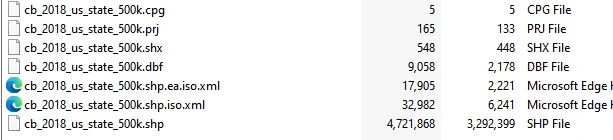
Step 1: Prepare Shapefile to upload
Make a zip file with all dependent files usually 6 or 7 files. i.e. .shp,.cpg , .prj , .shx , .dbf
Step 2: Upload zip file to application
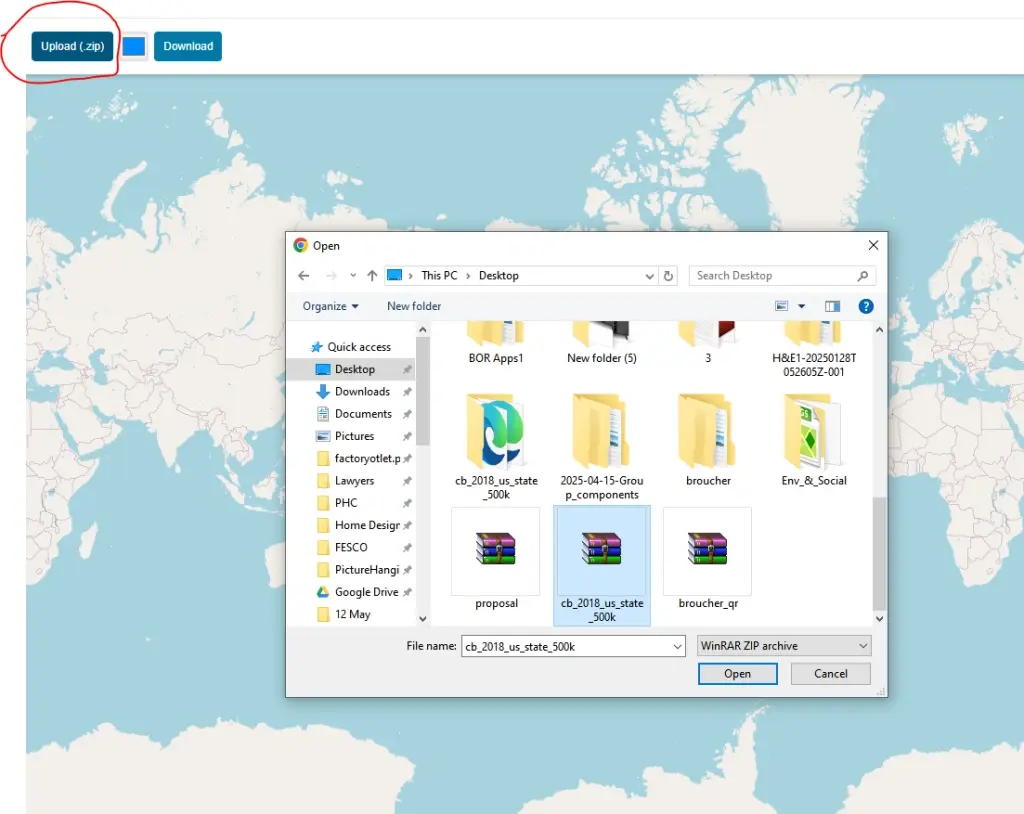
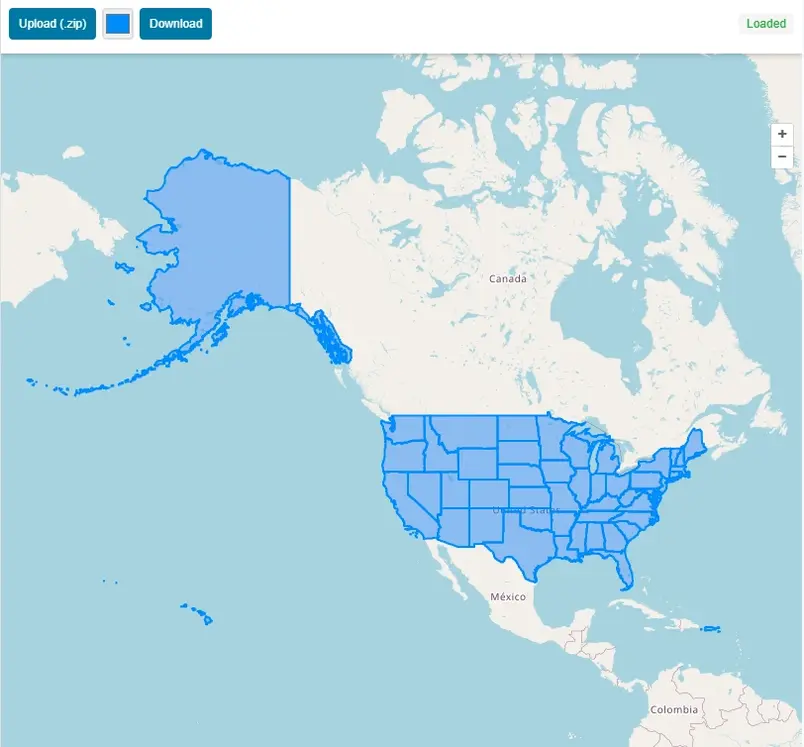
Once file is uploaded to the application, it will automatically read the shp data format and the spatial data will be displayed on map with extent of map same as the shapefile data.
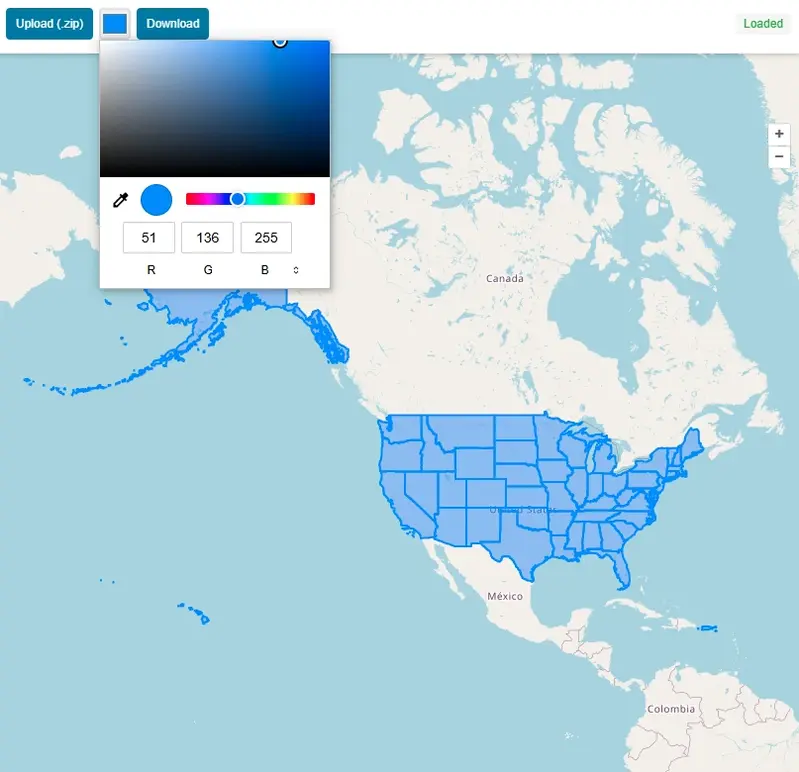
Step 3: Change Color of GIS Data
You can change the color of map easily just by selecting color from color pallet tool.
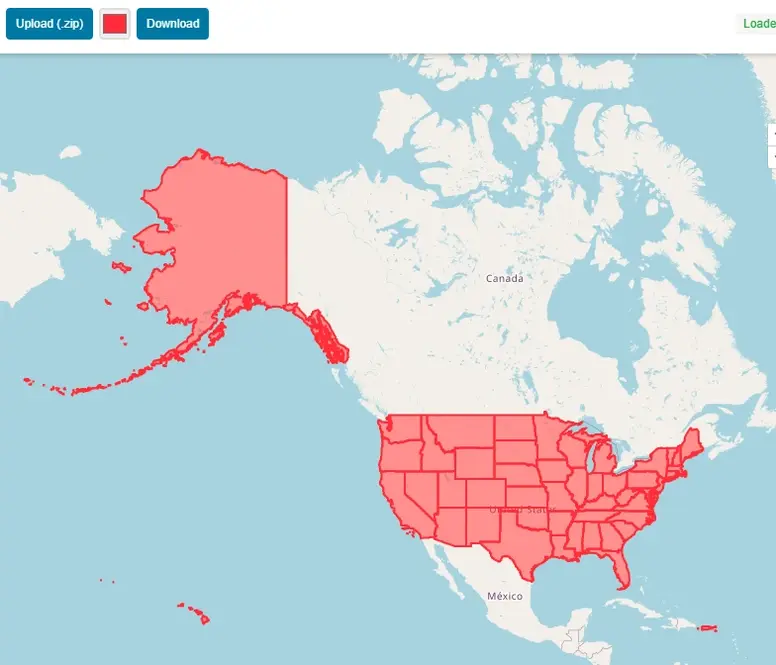
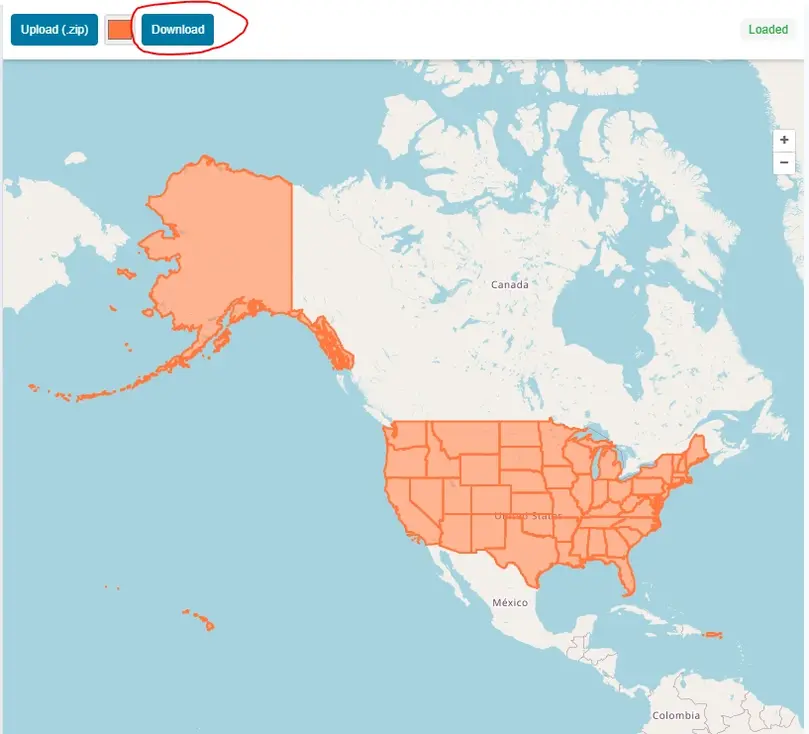
Step 4: Download Map in JPEG With Shapfile Map and Open Street Map as Basemap.
After customization of map press download and map will be downloaded in JPEG format.
A Brief History of the Shapefile
The Shapefile was first created in the early 1990s at Environmental Systems Research Institute (Esri), a pioneer company that was then establishing herself as a leader in the geographic information systems (GIS) analysis software market with its state of the art product, ArcView.
The goal was not the creation of the perfect, all-encompassing data format, but the development of a simple, efficient way for geospatial data to be displayed and worked with on the increasingly powerful desktop computers of the era.
A format was needed by Esri that was fast for drawing and in which the core elements of a map—points, lines, and polygons—could be handled. The solution, released around 1990, was deceptively simple. A "Shapefile" is not a single file, but a collection of at least three mandatory files that are designed to work together.
What is a shapefile and where can it be used?
Shapefile is a spatial data file format that becomes industry standard to store vector data format. It was developed by ESRI in 1990. It is the most widely used GIS vector data format. Actually it is not a simple single file in fact it is a collection of various files that must share the same directory in the computer memory. There are 3 compulsory files with same prefix to make a valid readable shapefile.
What are the common optional files in shapefile and what is the use of each file?
Sometimes we see some additional files along with 3 must have files. These additional files are used to enhance the functionality.
Can one Shapefile contain points, lines, and polygons at same time?
No. A single shapefile can only have one geometry type at a time. If your geographical features contains multiple geometry types like lines for roads, points for schools and polygons for buildings then you will need to use multiple files for each dataset.
What is the maximum file size limit for a shapefile?
You can store up to 2 GB of data in any of the component files (.shp or .dbf). This hard limit makes it unsuitable for massive global datasets or high detailed contour datasets derived from LIDAR.
Why are my column names in shapefile getting cut off?
Well this is one of the limitations of ESRI shapefile because it utilizes dBASE IV format to store attributes. Each field name can contain 10 characters. Field names longer than 10 char will be trimmed or truncated.
Open Source Resources
Map Tools Brief Description
-
Radius Map Online – Measure Radius on Map :
Radius Map Tool is a very simple easy to use web map tool. With the help of this tool, you can draw a circle of your desired radius on map at given location. You can easily move and edit the circle on map by changing its color, radius and location. You can download the map as jpg.
-
Calculate Area on Map Online- Land Area Calculator Map:
Area Calculator on map is a free area map tool. This area calculator tool using web map allows you to find out the area in multiple units that is enclosed inside a closed polyline overlaid on a map. You can also download the data in geojson format.
-
Map Distance Finder - Driving & Straight Distance Between 2 Locations:
Distance Calculator on map is a very intuitive& simple free GIS web tool to calculate distance between two locations. It provides street or driving distance as well as straight distance. You can also download route data in the form of geoJSON to use on any GIS software.
-
Elevation / Altitude Finder By Address or Current Location:
Get your current elevation on map using this free online web map application. Just locate yourself on map and get the altitude of specific point. You will get elevation using 90 meter resolution dataset. It means accuracy of the elevation is approximation under 90×90 meters.
-
Zip Code Lookup by Address - Find a Post Code:
To find a zip code (or postal code) for your current location or a specific address, you can use this free tool to mark your position on map and find postcode on single click. Worldwide postal code finder for any address on map makes your life easier.
-
EV Charger Finder - Find Electric Car Charging Stations on Map:
Nearby EV charging station finder on map within United States and get google maps driving directions. This tool will allow you to search street address to find nearest charging port of required location. You can also enter the coordinates or you can use your current geographic location.
-
What is My Current Time Zone - Time Zone Map:
It provides your current GMT time zone, current local time, address date and coordinates worldwide. You can search your address or can use your GPS location. Retrieved information about the time zone can easily be shared on whatsapp.
-
GPX Data Viewer Online - View Hiking, Cycling, Running Data on Map:
Simple user friendly web mapping application to find time zone on map by simply searching the address, postal code, geographic coordinates. You can also search for current time zone by just click my location on map. Click on map and you will be provided detailed information about your current time zone.
-
Shapefile Viewer Online - View GIS Data in .shp Format:
Want to view your GIS data in Esri Shapefile .shp format on map online? Use our shp viewer free application tool to display your shp file format data online. Map can also be exported using this shapefile viewer online application.
-
GPX to GeoJSON Converter
Do you need to convert your GPS data stored in GPX format to well known GeoJSON data. This free web tool will do this job for you. Just upload data, convert and download the required format.
-
KML Online Viewer - Visualize .kml .kmz Data on Map Online
Web Application to view KML, KMZ files on street map and satellite image. View and explore KML and KMZ files online. Fast, free KML viewer shows your placemarks, paths.
-
Coordinates Plotter - Plot Latitude and Longitude on Map Bulk CSV
This online map application provides you with an interactive map made with your own geographic data in CSV file format.
-
Geotag Photos for Free - Batch Editing
Batch-upload up to 10 photos at once, edit EXIF metadata and geotag each image individually in just a few clicks, then export the updated files as high-quality JPEGs.
-
True Size of Countries
The world as it actually is, not just how it’s drawn. How big is your country? Drag it to find out. True Scale. Real Geography. No Distortions.